I Love The Smiths AI Prompts: 15s & 23s Video Breakdown for Kling & Seedance
Last updated:
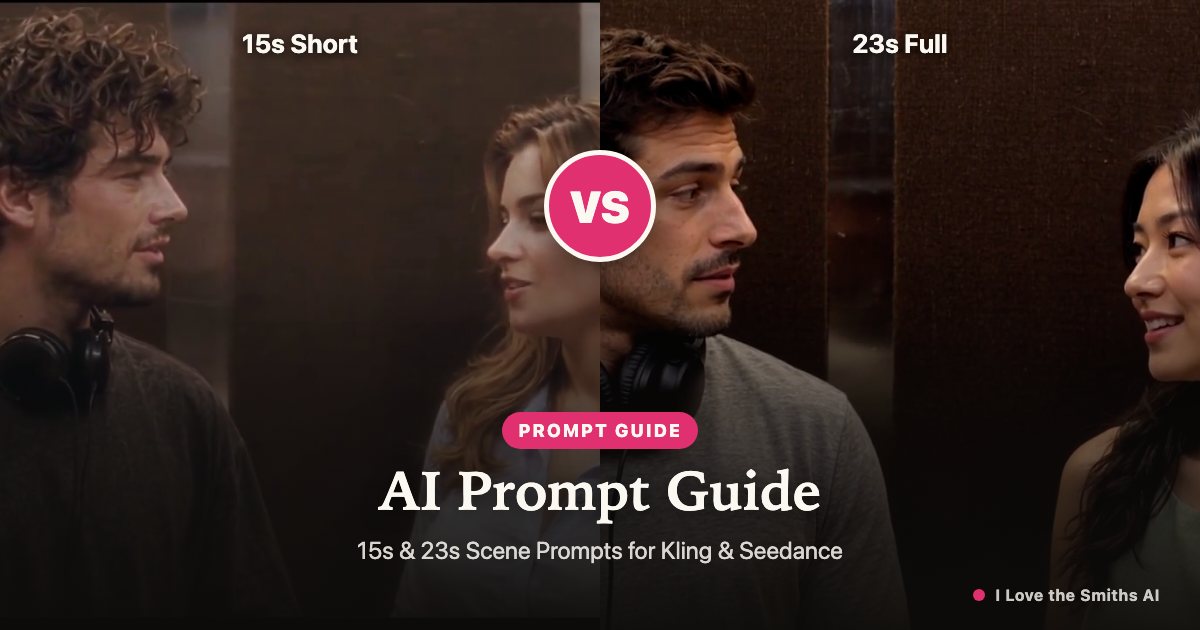
Want to manually prompt the viral I Love The Smiths elevator scene in Kling AI, Seedance, Wan 2.1, or Runway without relying on video reference uploads? We deconstructed both the 15-second TikTok cut and the full 23-second cinematic scene into exact shot beats, camera specs, and ready-to-copy English text-to-video prompts. Here is everything you need to create the scene from text—plus why manual prompting often breaks down, and how to lock character faces effortlessly.
Watch the I Love the Smiths reference scene
1. The 15-Second Cut: Pacing & Shot Breakdown
The 15-second cut is engineered for TikTok, Instagram Reels, and YouTube Shorts. It cuts out the initial slow preamble and starts immediately with high emotional tension: the listener already has the black headphones draped around his neck with one hand resting on the ear cup, and the speaker initiates the iconic line within the first two seconds.
• 00:00 - 00:03 (The Hook): Medium two-shot inside the elevator. The young woman glances at the man with a confident, charming smile and mouths: "I love The Smiths."
• 00:03 - 00:07 (The Surprised Turn): The man turns his head toward her, his hand resting on his headphone cup, with an inquiring, slightly bewildered expression: "Sorry?"
• 00:07 - 00:11 (The Confirmation): The woman nods imperceptibly, her smile widening as she repeats: "I said I love The Smiths."
• 00:11 - 00:15 (The Lingering Chemistry): Both hold steady eye contact with subtle awkward romantic smiles as the nostalgic guitar riff swells.
2. Ready-to-Use 15s Text-to-Video AI Prompt
If you are using Kling 1.5/2.0, Seedance 2.0, Wan 2.1, or Luma Dream Machine in Text-to-Video mode, copy this complete English prompt. T2V models respond best to structured descriptions dividing the environment, character placement, action beats, and cinematic lighting:
Prompt (Copy & Paste): "Cinematic 2009 romantic film still, 35mm photograph, Kodak Vision3 500T, vintage office elevator interior with warm vertical wood-paneling and brushed brass trims. Two people standing shoulder-to-shoulder in medium close-up shot. Left: handsome young man with curly brown hair, black t-shirt, crossbody strap, black over-ear headphones draped around his neck with his right hand resting on the headphone. Right: pretty young woman with wavy caramel-brown hair, light blue button-down collared shirt. The woman turns to him with a gentle smile and clearly mouths: 'I love The Smiths.' The man turns his head to face her with a surprised and puzzled expression, mouth parted: 'Sorry?' The woman smiles warmly, repeating: 'I said I love The Smiths.' Both maintain a lingering romantic gaze with subtle shy smiles. Gentle handheld camera motion, warm 3200K tungsten overhead lighting, natural eye-level framing, photorealistic micro-expressions."
Negative Prompt: "cartoon, 3D render, anime, deformed fingers, extra limbs, floating headphones, distorted faces, closed eyes, abrupt camera zoom, speech bubbles, subtitles, watermark, blurry, overexposed."
Recommended Settings: Aspect ratio 16:9 (or 9:16 for vertical reels), Motion score / Creativity: Medium (0.5–0.6). Avoid high motion values to prevent facial distortions during dialogue.
3. The 23-Second Full Scene: Nuanced Cinematic Breakdown
The 23-second scene is the authentic, slow-burn recreation of the classic (500) Days of Summer elevator sequence. Unlike the 15-second cut, this version includes the physical action of taking the headphones off the ears, creating a much stronger narrative arc and cinematic payoff.
• 00:00 - 00:05 (The Isolated Bubble): The man stands facing forward, immersed in music with bulky over-ear headphones on his ears, head bobbing subtly. The woman overhears the leaked track, turning her head with curiosity and intrigue.
• 00:05 - 00:09 (The Icebreaker): She smiles and delivers the first line: "I love The Smiths." He barely hears it through the music.
• 00:09 - 00:14 (The Headphone Slide & "Sorry?"): He realizes someone is talking, raises his hand, smoothly slides the headphones down from his ears to his neck, and turns 45 degrees to look at her: "Sorry?"
• 00:14 - 00:18 (The Sweet Repetition): She holds his gaze with an amused, knowing smile: "I said I love The Smiths."
• 00:18 - 00:23 (The Lingering Aftermath): He looks speechless, smitten, and slightly flustered. She turns back toward the elevator doors with a quiet smirk, sneaking one last side-eye glance as the tension builds.
4. Ready-to-Use 23s Text-to-Video AI Prompt
Because 23 seconds exceeds the single-prompt generation limit of most models (usually capped at 5s or 10s per generation), the professional workflow is either to generate a 10s master shot and use Video Extension, or use a comprehensive prompt in Seedance 2.0 / Kling Multi-Shot mode:
Prompt (Copy & Paste): "Cinematic medium two-shot, 2000s indie romantic drama, 35mm film grain, warm incandescent lighting inside a retro wood-paneled elevator. Left: handsome athletic man with textured dark hair and light stubble wearing a grey crewneck t-shirt and large black over-ear headphones covering his ears. Right: elegant young woman with hair swept back in a loose updo and a sage green sleeveless top. The man faces forward listening to music; the woman smiles intrigued, turning to him and mouthing: 'I love The Smiths.' The man notices, slowly raises his hand, takes the headphones off his ears and rests them around his neck, turning to her with a questioning look: 'Sorry?' The woman smiles broader, repeating: 'I said I love The Smiths.' The man smiles shyly and looks captivated; the woman turns forward with a pleased smirk. Slow subtle push-in camera movement, shallow depth of field, authentic cinematic acting."
Negative Prompt: "mutated hands, merging headphones, disappearing headphone wire, morphing faces, jerky movement, unnatural mouth movements, cartoon, 3D, oversaturated, text, logo, watermark."
5. How to Fix Character Drift & Headphone Glitches
When prompting two interacting characters from scratch, Text-to-Video models frequently fail. The three most common failure points are:
1. The Headphone Morphing Trap: Models struggle with the complex hand-object interaction of pulling headphones down. Often the headphones merge into the ears, duplicate, or vanish. Strategy: Either generate the video starting with headphones already around the neck (the 15s approach), or use Image-to-Video starting with an initial keyframe generated in Midjourney or Flux where the characters and headphones are already crisply rendered.
2. Identity Drift & Wardrobe Bleed: Across 10–20 seconds, the model often blends the two characters’ facial features or swaps their clothing colors. Strategy: Use strong asymmetric descriptions in your prompt (e.g. "curly brunette in black t-shirt on left" vs "blonde in light blue collared shirt on right"). If using Kling or ComfyUI, lock the characters with reference image anchors.
3. The Silent Model & Lip-Sync Problem: Video AI models do not generate the copyrighted 1986 track "There Is a Light That Never Goes Out". Pure text prompts often result in weird rubbery lip flapping. Strategy: Mute model audio, import into CapCut or Premiere, align the movie audio track to the video cuts, and time the audio lines to begin exactly when the speaker's mouth opens (0:02 for 15s; 0:06 for 23s).
6. Manual Prompt Engineering vs. 1-Click AI Generation
Prompt engineering this scene manually in Kling, Seedance, or Runway is a great creative experiment, but it comes with real friction: it usually takes 15 to 25 retries ($10–$25 in platform credits) just to get one take without deformed hands or distorted faces. Worst of all, pure text prompts cannot put YOU or your partner into the video—the faces remain randomized AI strangers unless you train custom LoRAs or run complex ComfyUI workflows.
If you want to skip prompt debugging and make a viral elevator scene featuring your own faces, our 1-click generator uses reference motion transfer: you upload one photo for the headphone listener (and an optional second photo for the speaker), and the AI recasts the exact cinematography, camera moves, and micro-expressions with the original soundtrack already mixed in. You get an export-ready 1080p MP4 in under two minutes without writing a single line of prompt.
FAQ
Which AI video generator works best for text-prompting the elevator scene?
Kling 1.5/2.0 and ByteDance Seedance 2.0 currently offer the best natural micro-expressions and two-character coherence. For local ComfyUI setups, Wan 2.1 14B produces excellent cinematic film grain and lighting.
How do I get the dialogue to sound like the original movie?
Generative video models do not output licensed audio. You must download the classic Smiths audio track and mix it in post-production using CapCut, lining up "I said I love The Smiths" with the character's second smile.
Can I put my own face into the video using text prompts?
Pure text prompts generate fictional faces. To recast the scene with your own photo or a friend's photo, use our reference-guided one-click generator instead of manual text prompting.
Why do the headphones keep disappearing in my generated video?
Hand-to-headphone physical interactions are difficult for diffusion models. To avoid this, use our 15s prompt where the headphones are already around the neck, or use an image seed where the headphones are clearly defined.
Your I Love the Smiths moment is one photo away
Create my video